
Local
Databases on your Mac, including SQLite. Mark the connection Local when a slice should land there.

MoleDB connects to the databases you already have. Safety starts by knowing which connection you are on. Your data stays on your Mac.
Databases on your Mac, including SQLite. Mark the connection Local when a slice should land there.
Mark a connection Staging so you can see where a query is aimed.
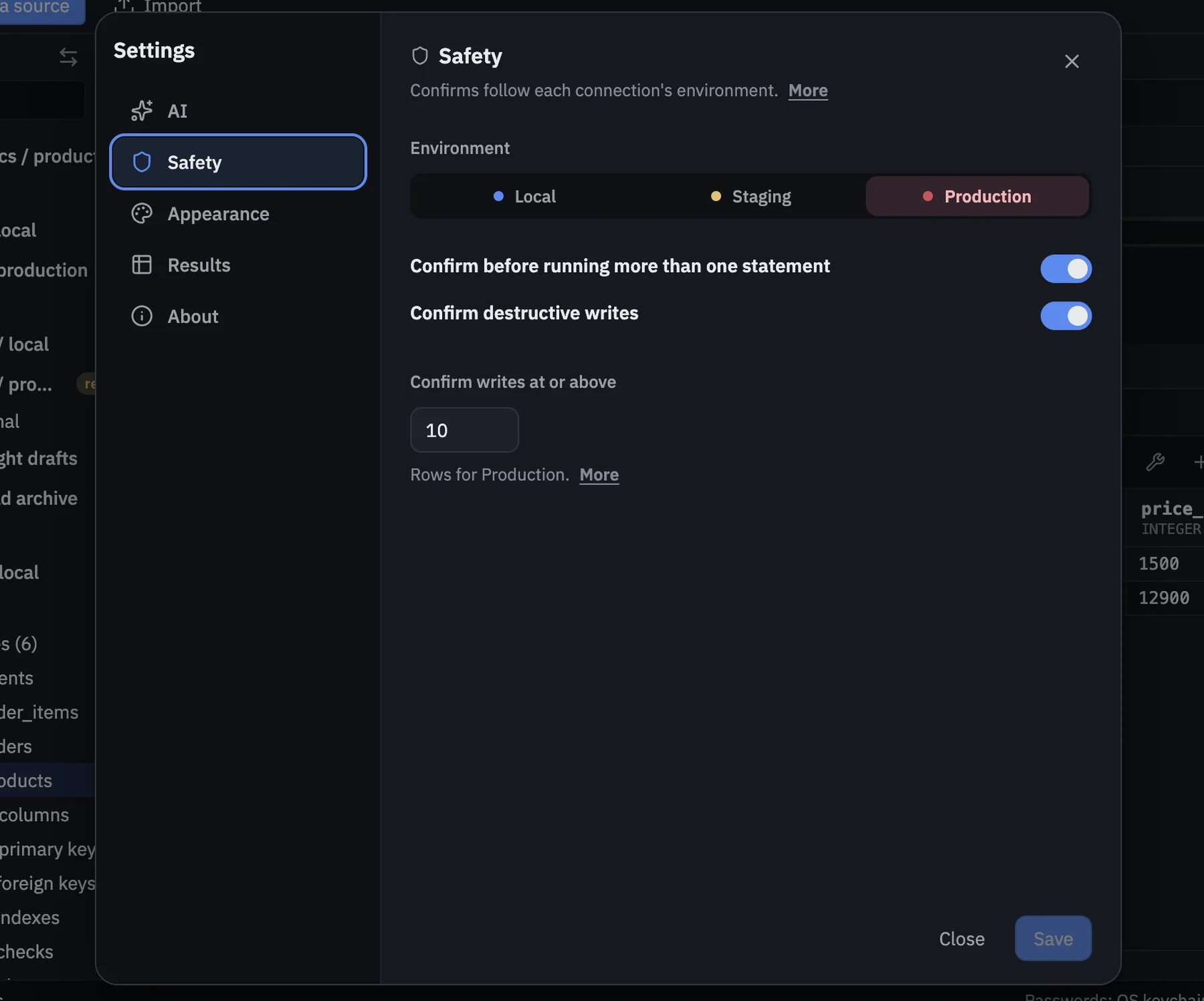
Writes at or above a threshold ask you to confirm. The default is 50 rows. The window is framed in red.
Settings → Safety
On production, writes at or above the threshold ask you to confirm before they run. You can set that threshold on each connection.
Confirm
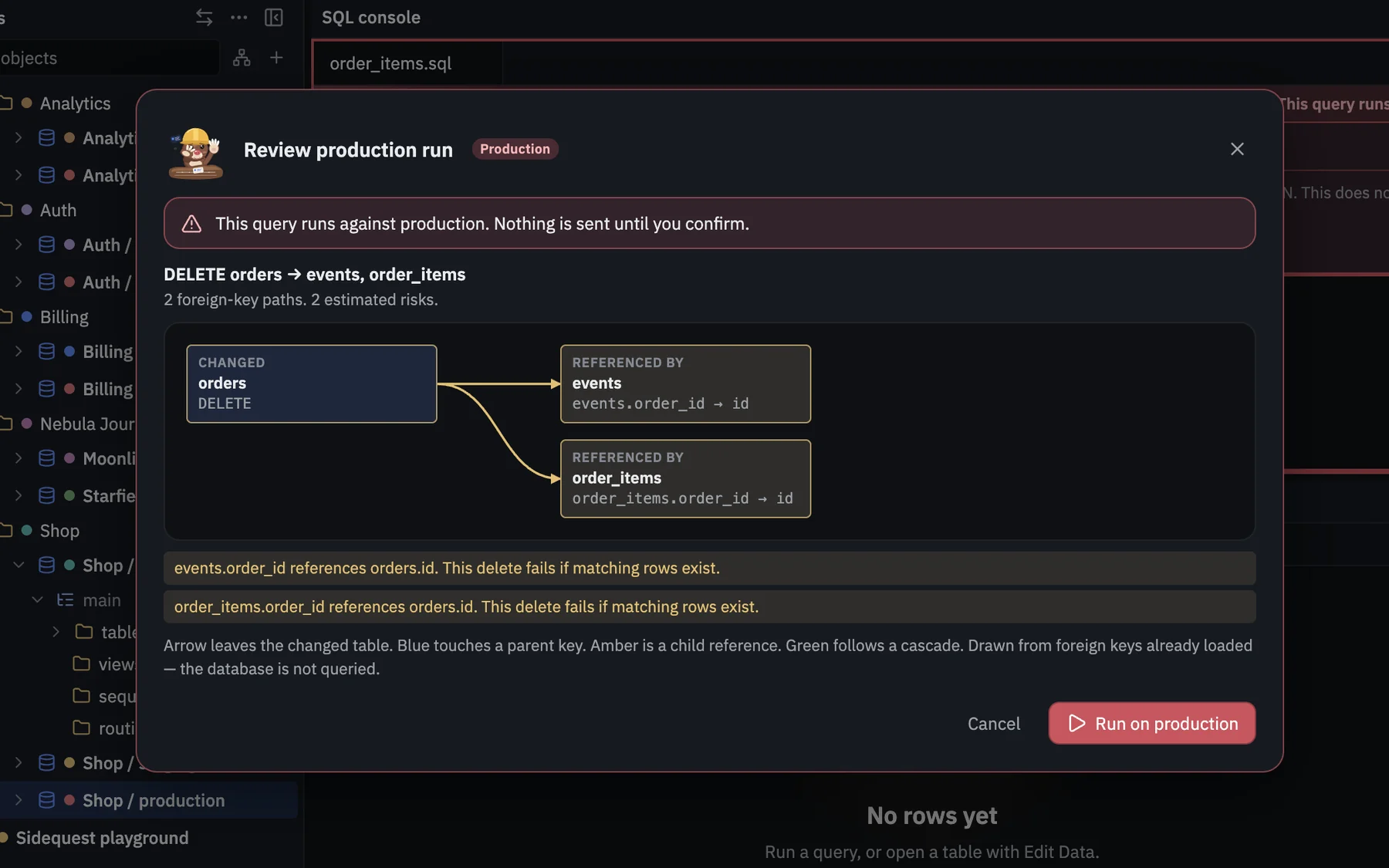
A production review shows the change first. If the write is at or above the threshold, you get a second confirmation.
Writes are blocked, so a read-only connection stays read-only.
A deeper look at a query refuses anything that would write. Checking the plan never changes your data.
Passwords are stored securely on your Mac. Your data stays on your Mac. No account, no cloud.
Copying a slice only reads the source. Writes stay on the database on your Mac.