
Your layout
Your databases, queries, results, and AI chat are panels you can move or hide. Save a layout, or use Default and SQL focus.

PostgreSQL, MySQL, and SQLite in one app on your Mac. Free to download.
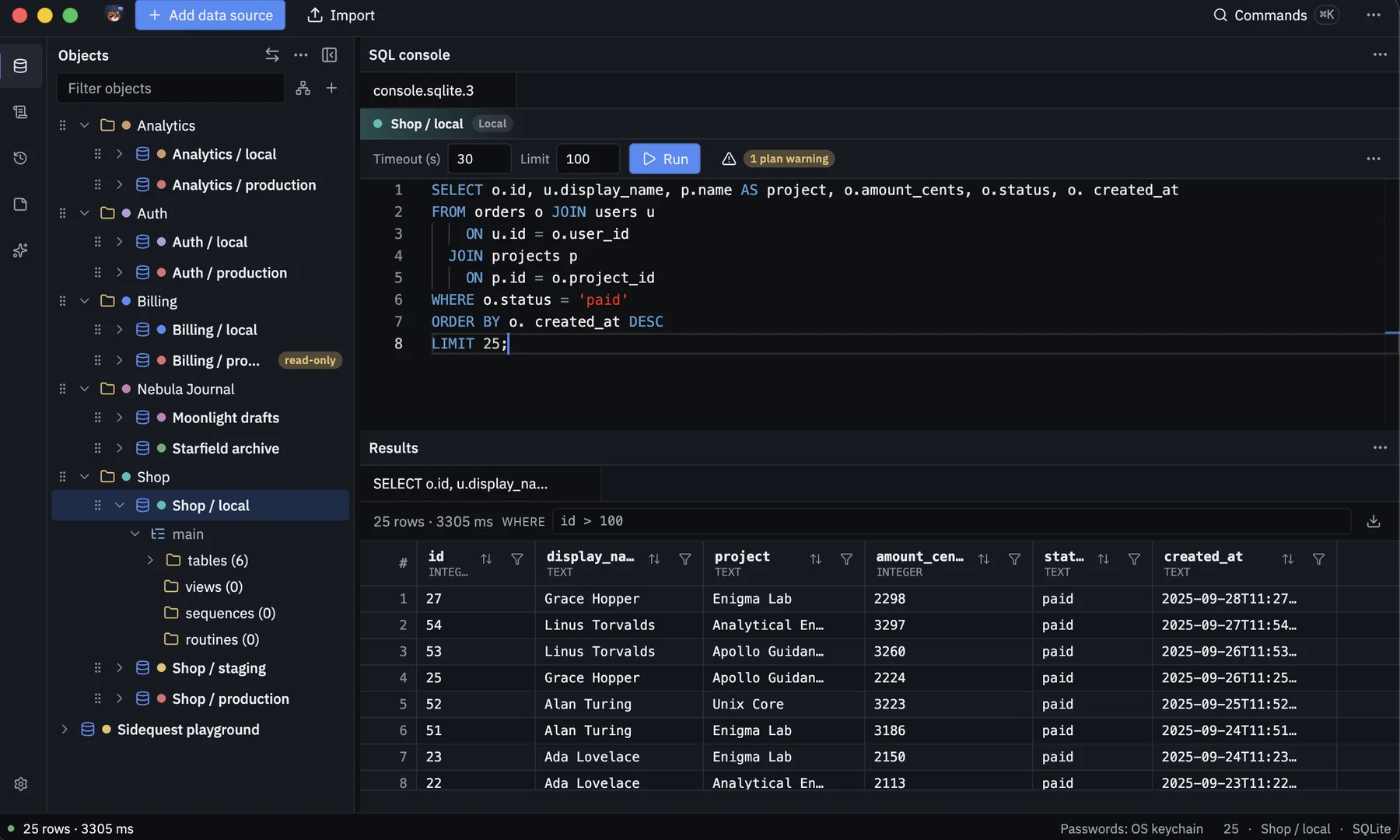
Your databases, queries, results, and AI chat are panels you can move or hide. Save a layout, or use Default and SQL focus.
Down to columns, primary keys, foreign keys, and indexes. Drag to reorder connections and groups, and add color labels.
See how your tables connect, without changing anything.
Autocomplete that knows your tables, parameters you can fill in, and a shortcut to run. Set a limit and a timeout, or cancel.
See how a query will run, with stronger warnings on production. A deeper look refuses anything that would write. Checking the plan never changes your data.
Edit cells in the grid. Inserts, updates, and deletes wait until you review them and run them together.
Open a long value so it wraps, reads clearly, and copies.
Jump from a foreign-key cell to the parent or child rows.
Map columns, preview the rows, review them, and run them together.
Export the rows you need, or copy a block or a single cell.
Copy from any connection, including production, into SQLite or a PostgreSQL connection marked Local. Set a row limit, include related rows, and cover likely personal details. The source is only read.
Change tables, views, routines, indexes, and constraints. You see the change before it runs.
Saved queries, history, bookmarks, and a place to draft.
Find any action from the keyboard.
Writes are blocked, so a read-only connection stays read-only.
Connect through SSH, confirm it is the server you expect, and use an encrypted connection. Request access and Test Connection keep trying for about 10 seconds.
Bring your own AI key. It stays on your Mac, stored securely. Sending sample rows is your choice.
Passwords are stored securely on your Mac. Nothing is written to your database. Light, dark, and system themes.